
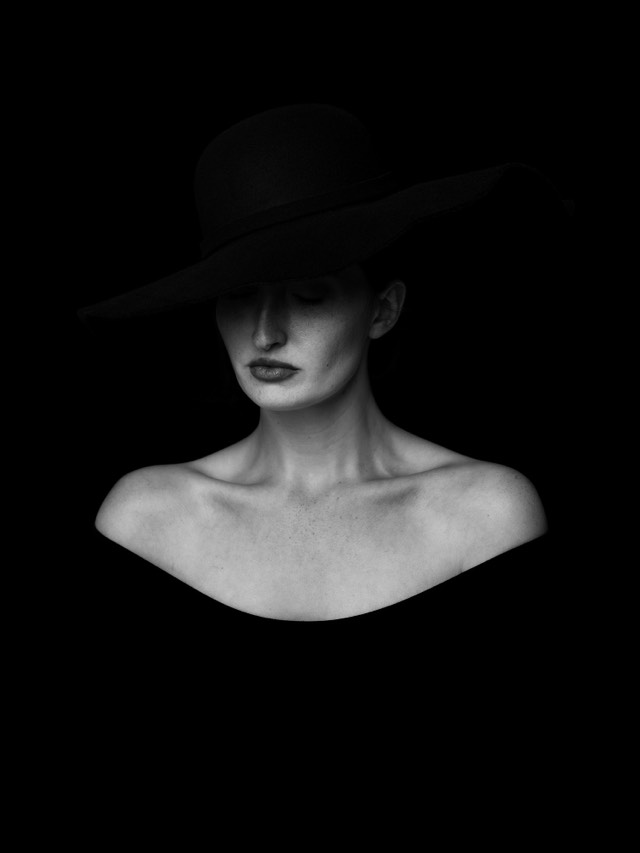
Your iPhone has three built-in ways to make black and white photos. On iPhone 16 and 17 models (except 16e and 17e), iPhone Air and iPhone 18 Pro models, pick a black-and-white Photographic Style. On older iPhones, open the photo in Photos and apply a black-and-white filter: Mono, Silvertone or Noir. And in Portrait mode, you can choose Stage Light Mono or High-Key Light Mono. All three can usually be undone later, so you can get the color back.
Key takeaways
- iPhone 16 brought two black-and-white Photographic Styles, Stark and Muted. iPhone 17 models and iPhone Air are in the same Styles group, and iPhone 18 Pro has Stark too.
- Older iPhones get black and white from filters in the Photos app. Apple's guide doesn't name them, but press guides list Mono, Silvertone and Noir.
- Portrait mode has two mono lighting effects: Stage Light Mono and High-Key Light Mono.
- Good black and white needs a subject in a different shade of gray from its background, and side light for texture.
- Kodak's early movie film was orthochromatic, sensitive to blue and green. Kodak launched panchromatic film in 1922 and dropped orthochromatic negative by 1931.
Every black and white option on iPhone
Black-and-white Photographic Styles (iPhone 16 and newer)
When Apple launched iPhone 16 Pro, it said the new Photographic Styles include "a Dramatic B&W option that looks great in the studio or with outdoor photography" (Apple Newsroom). In the Styles menu, MacRumors lists two: Muted Black and White and Stark Black and White (MacRumors). Tom's Guide found Stark B&W "produces a far more dramatic effect" than a plain desaturated photo, while Muted B&W "removes your photo's colors but also brightens it" (Tom's Guide). PetaPixel's iPhone 18 Pro review is full of shots in the "Stark Black and White Photographic Style" (PetaPixel).
Searching "black and white photos iPhone 17"? Apple puts iPhone 17, 17 Pro, 17 Pro Max and iPhone Air in the same Photographic Styles 2 group as the iPhone 16 lineup. iPhone 16e and 17e are in the older Photographic Styles 1 group (Apple). Before iPhone 16, Styles had only four options: Rich Contrast, Vibrant, Warm and Cool, none of them black and white (MacRumors).
- Open the Styles menu. Open Camera in Photo or Portrait mode, then tap or swipe up from the camera modes at the bottom of the screen and tap Styles (Apple).
- Swipe to a black-and-white style. Swipe left or right until the preview turns black and white. Tap Customize to adjust tone and how strongly the style applies (Apple).
- Add grain on the newest models. On iPhone 18 Pro, iPhone 18 Pro Max and iPhone Duo, tap Texture, choose a texture such as Film, and tap Grain. If you don't see Texture, your iPhone doesn't support it.
- Keep it on. To keep the style the next time you open Camera, go to Settings > Camera > Preserve Settings and turn on Photographic Style (Apple).
Already took the photo in color? Open it in Photos, open the edit tools, tap Styles and swipe to a black-and-white one. That only works if Camera captured it with High Efficiency on (Settings > Camera > Formats) (Apple). Our Photographic Styles guide covers the other styles.
Mono, Silvertone and Noir filters (older iPhones)
In the Camera app, Apple's guide shows a Filter option on iPhone 12 models or earlier. In the Photos app, you can add a filter afterwards: open a photo in Photos, open the edit tools, tap the filters button and drag the slider to set the strength. On iPhone 16 and later, Apple says to use Photographic Styles instead, and filters are available only "if you haven't turned on Photographic Styles" (Apple).
Apple's guide names only Vivid and Dramatic as examples. AARP lists the three black-and-white filters as Mono, Silvertone and Noir (AARP). Digital Camera World's Rod Lawton loves Noir and Silvertone, and points out the catch that isn't one: "the iPhone actually recorded a regular color image and applied the filter on top" (Digital Camera World). To go back to color, tap Original in the filters.
Stage Light Mono and High-Key Light Mono (Portrait mode)
Swipe to Portrait mode and drag through the lighting effects. Apple describes Stage Light Mono as the "Stage Light effect in black and white" and High-Key Light Mono as a "Grayscale subject on a white background." To remove the effect later, open the photo in Photos, open the edit tools and tap Portrait (Apple). High-Key Mono arrived with iOS 13 in 2019 (Apple Newsroom).
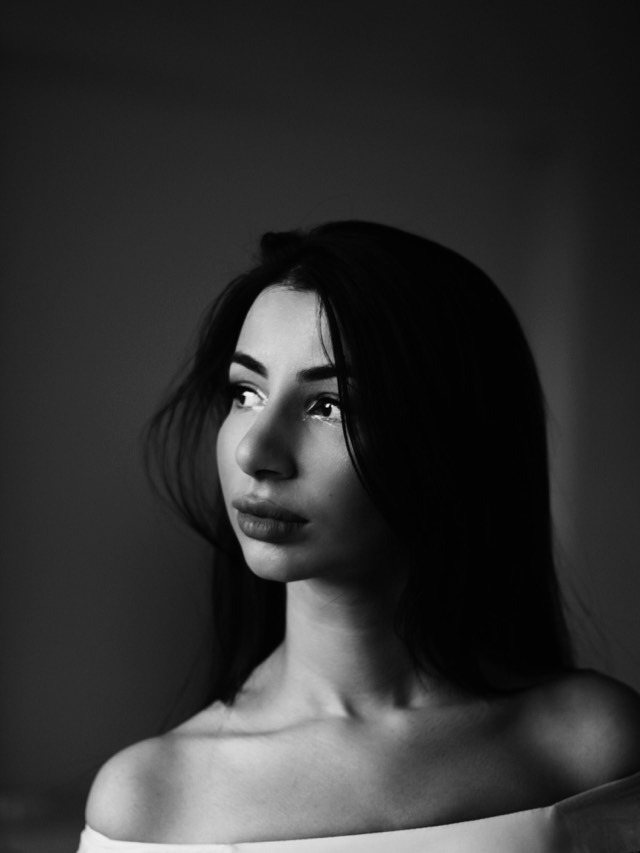
| Option | Which iPhones | Where | Undo later? |
|---|---|---|---|
| Black-and-white Photographic Style | iPhone 16 and 17 models (not 16e or 17e), iPhone Air, iPhone 18 Pro models | Camera > Styles, or Styles in Photos | Yes, with High Efficiency capture |
| Mono, Silvertone or Noir filter | Camera: iPhone 12 or earlier. Photos: when Styles aren't on | Filters in the Photos editor | Yes, tap Original |
| Stage Light Mono, High-Key Light Mono | iPhones with Portrait mode | Portrait mode lighting effects | Yes, tap Portrait in Photos |
How to take good black and white photos
Taking the color out is the easy part. TechRadar's guide puts it simply: look for "a main subject that will appear in a significantly different shade of grey to the background," then for tone and texture that add depth (TechRadar).
- Use side light. "Strong side lighting is perfect for bringing out the texture in any subject." Sit a friend next to a window, not facing it, and watch their skin, hair and sweater get depth.
- Watch the shadows. "It's often the shadows that define shape and form." For shadows taken all the way to black, try a Christmas tree silhouette.
- Beware of color contrast. A purple crocus on a green lawn can fall apart in black and white, because "the two colors will end up looking similar in tone."
- Skip shots that live on color. TechRadar suggests asking whether a sunset loses its impact "without the subtle hues."
Then finish in Photos: open the edit tools, tap Adjust and try Exposure, Brilliance and Highlights (Apple).
How black and white film saw the world
Kodak's early movie negatives, such as Cine Negative Film Type E from 1916, were orthochromatic. Have old negatives of your own? Here is how to view them with iPhone. Ilford, which made a modern orthochromatic film, explains what that means: its "blue and green sensitivity enables the film to be handled in red safelight" (Ilford). Kodak's own timeline then lists Kodak Panchromatic Cine Film in 1922 and says Orthochromatic Negative Film was discontinued in 1930–1931 (Kodak).
Photographers still steer how colors turn into grays. Fujifilm's black-and-white ACROS mode comes with a red filter option that "enhances contrast and darkens skies considerably" (Fujifilm).
Shoot it on a black and white film camera
If you'd rather pick a film than a filter, KINO in DCIM is a 1958 35 mm camera that sees only in black and white. It loads six cinema films: cinema negative, soft, noir, pushed, orthochromatic and ink. Grain sits on a GRAIN lever, so you set it before the shot. You can also import a color photo and develop it again through KINO. For color film looks, see how to make iPhone photos look like film.

FAQ
How do I take black and white photos on my iPhone?
On iPhone 16, 17 and 18 Pro models (not the "e" models) and iPhone Air, choose a black-and-white Photographic Style in Camera. On older models, apply Mono, Silvertone or Noir in the Photos editor. In Portrait mode, choose Stage Light Mono or High-Key Light Mono.
How do I take black and white photos on iPhone 17?
iPhone 17, 17 Pro, 17 Pro Max and iPhone Air are in the same Photographic Styles group as iPhone 16. Open Camera, tap or swipe up from the camera modes, tap Styles and swipe to a black-and-white style. iPhone 17e is in the older group.
Can I turn a black and white iPhone photo back to color?
Usually, yes. For a filter, tap Original in the Photos editor. Apple says styles can be "reversed later," which needs High Efficiency capture. For Portrait lighting, tap Portrait to turn the effect off.
What's the difference between Mono, Silvertone and Noir?
Apple doesn't describe them in its guide. Digital Camera World calls Noir "a high-contrast black and white look." The easiest way to choose is to open a photo and swipe through all three.
Why do my black and white photos look flat?
Often because the subject and background turn into the same gray. Look for light against dark, use side light, and avoid scenes where only the colors were different.
Sources
- Apple. Apple debuts iPhone 16 Pro and iPhone 16 Pro Max. Apple Newsroom, September 9, 2024. Accessed November 22, 2026.
- MacRumors. Customizing Your iPhone 16 Images With Photographic Styles. Accessed November 22, 2026.
- Tom's Guide. I tried every Photographic Style on the iPhone 16 Pro Max — this is a game-changer. October 21, 2024. Accessed November 22, 2026.
- Jaron Schneider, PetaPixel. Apple iPhone 18 Pro Camera Review: Small Changes, Big Differences. September 16, 2026. Accessed November 22, 2026.
- Apple. Models that support Photographic Styles. iPhone User Guide. Accessed November 22, 2026.
- Apple. Use iPhone camera tools to set up your shot. iPhone User Guide. Accessed November 22, 2026.
- Apple. Use Photographic Styles with your iPhone camera. iPhone User Guide. Accessed November 22, 2026.
- Apple. Edit photos and videos on iPhone. iPhone User Guide. Accessed November 22, 2026.
- Apple. Take portraits with your iPhone camera. iPhone User Guide. Accessed November 22, 2026.
- Apple. Apple previews iOS 13. Apple Newsroom, June 3, 2019. Accessed November 22, 2026.
- AARP. Take Better Black-and-White Photos With Your Smartphone. October 24, 2022. Accessed November 22, 2026.
- Rod Lawton, Digital Camera World. Don't be scared to use filters on your iPhone – you are not as committed to the look as you might think. March 8, 2025. Accessed November 22, 2026.
- Chris Rutter and Phil Hall, TechRadar. How to master black and white photography. January 12, 2018. Accessed November 22, 2026.
- Ilford. ORTHO Plus black and white, orthochromatic copy film: fact sheet. August 2004, copy hosted by University of Wisconsin–Madison Physics. Accessed November 22, 2026.
- Kodak. Chronology of Film. Accessed November 22, 2026.
- Fujifilm. Film Simulation. Accessed November 22, 2026.