
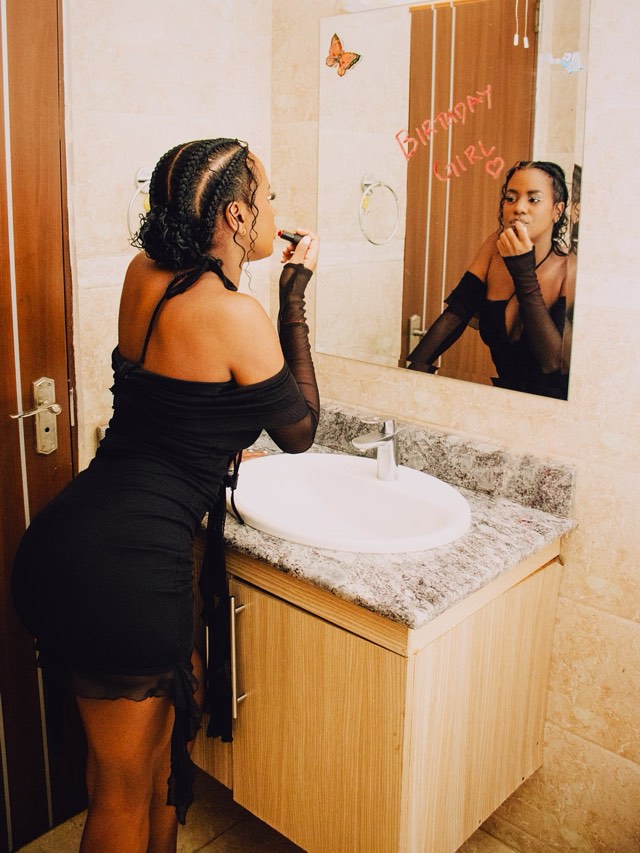
The digicam look is a bright, direct flash, colors that come out a little warm and faded, soft detail with some grain, and often an orange date stamp in the corner. You can get part of the way there with the iPhone Camera app: turn the flash on, shoot in 4:3 and warm up a Photographic Style. What the Camera app can't copy is the real xenon flash and the light processing of a 20-year-old point-and-shoot. For that, you need an old camera or an app that imitates one.
Key takeaways
- The look comes from a strong direct flash, lenses that are less sharp, little in-camera processing and low resolution.
- Canon told NPR that sales of its PowerShot point-and-shoot jumped nearly sevenfold from 2022 to 2025.
- On iPhone, set the flash to On, choose 4:3, and adjust a Photographic Style. On supported models you can also add film grain.
- An iPhone "flash" is an LED, more like a flashlight than a xenon flash tube, so it won't give the same harsh pop.
- "CCD" refers to the sensor type in many older digital cameras. How much the sensor itself shapes the color is debated.
What the digicam look actually is
NPR described the turn-of-the-millennium digital photo as "a bit grainy, sometimes fuzzy, overexposed in the center with a blinding flash, often date-stamped in red or orange" (NPR via Michigan Public). A 16-year-old in the same report said he reaches for his digicam at parties "for a more, like, warm vibe." For shot ideas in that spirit, see Y2K picture ideas.
Digital Camera World points to several causes. Cheap digicams often had old, sometimes plastic lenses that are "far less sharp," which gives "a dream-like glow" instead of the over-sharpened look of modern lenses. Older cameras also did far less processing: the pictures look retro "not because of overprocessing but because they are actually retro" (Digital Camera World).
The biggest factor may be the flash. A compact camera has a real xenon flash tube, while a smartphone "flash" is "more of an LED flashlight." The compact's flash is far more powerful and creates "that retro, paparazzi feel of direct flash" (Digital Camera World).

Why digicams are back
This isn't only a TikTok aesthetic. Canon told NPR that sales of the PowerShot jumped nearly sevenfold from 2022 to 2025, and Camp Snap, which makes a screen-free camera, said its sales more than doubled in the past year (NPR). NPR notes that many buyers "weren't yet alive in the 1990s and early 2000s." For many, it is "a rebellion against their smartphones": one buyer described pulling out her phone for a photo, then seeing a notification and checking her email.
Digital Camera World adds that some people feel phone photos have become so processed they look "nearly AI-generated," between HDR, fake bokeh and heavy low-light processing (Digital Camera World).
What "CCD" means
CCD stands for charge-coupled device, a type of image sensor. In a CCD, the charge from each pixel is passed down the row and gathered "pixel-by-pixel, serially" before it becomes a signal. In a CMOS sensor, the kind in modern phones and cameras, each pixel converts its own charge, so readout can be much faster (Hamamatsu Photonics).
CCD sensors "were the gold standard of digital photography before CMOS … took over," and they "have all but disappeared from mainstream digital cameras" because they are power-hungry, expensive to make and slow. Some photographers swear by CCD color as richer and more film-like. That is a matter of taste, not a measured fact (Digital Camera World). When people search for a "CCD filter," they usually mean the whole 2000s look, not the sensor.
How to get closer with the iPhone Camera app
- Force the flash on. The Camera app uses the flash automatically when it decides you need it. Tap the Flash control and switch it from Auto to On, so it fires even when the room looks bright enough. To keep the button on screen, go to Settings > Camera > Indicators and turn on Flash (Apple).
- Shoot in 4:3. Swipe up from the camera modes, tap Aspect and pick 4:3. The other options are 1:1 and 16:9 (Apple).
- Warm up a Photographic Style. On supported models, tap Styles and swipe through the presets, then adjust tone and color. On iPhone 12 or earlier you'll see Filter instead. On models with Photographic Styles 3, you can also choose a texture such as Film and tap Grain to add film grain (Apple).
- Drop the resolution. On supported models you can change the Main camera's default from 24 MP to 12 MP under Settings > Camera > Formats > Photo Mode (Apple). That's still far more detail than a single-digit-megapixel compact.
- Finish in Photos. Open the photo's edit tools, tap Adjust, and use settings like Exposure and Highlights to push the brightness. To change a Photographic Style after the shot, Camera has to capture in High Efficiency (Settings > Camera > Formats) (Apple).
What the Camera app can't do
The LED flash won't give the hard pop of a xenon tube, and iPhone photos stay, in Digital Camera World's words, "part camera, part algorithm." None of the Camera settings above burns a date stamp into the picture. You get a warmer, grainier iPhone photo, not a digicam photo.
| iPhone Camera app | 2000s digicam | DCIM | |
|---|---|---|---|
| Flash | LED, works like a flashlight | Xenon flash tube | Hard flash, straight from the camera |
| Resolution | 12, 24 or 48 MP, depending on model and settings | Often single-digit megapixels | Set by the camera, e.g. 5.0 MP on S-500 |
| Date stamp | Not among the settings above | Often orange or red | Burned in by the camera |
| Processing | Part camera, part algorithm | Far less processing | Each camera's own color and grain |
Shoot it with a digicam-style camera
An app built around one specific old camera gets closer than a filter, because the look is decided when you shoot. DCIM is a camera app for iPhone with 19 retro cameras, from 90s film to Y2K digicams, each with its own body, buttons and color. The CCD color, hard flash, date stamp and grain come straight from the camera, so there's nothing to stack afterwards.
- S-500 is a tribute to a 2005 digicam: 5.0 MP, warm, faded and filmic. It saves a JPEG 2048 px on its long edge.
- FLIP is a 3.2 MP camera phone from 2006, for lo-fi pocket snaps.
- GLAM has a flip-up selfie screen and 5× zoom, for flash selfies.
- SNAP is a disposable: 27 exposures, ISO 400, flash, and you see the pictures only once they're developed.
Already have a photo you like? DCIM can import any photo and develop it again through one of its cameras.
FAQ
What is the digicam effect?
The look of photos from early-2000s point-and-shoot cameras: direct, bright flash, warm or faded color, soft detail, grain and often an orange or red date stamp.
How do I make iPhone photos look like a digicam without an app?
Set the flash to On, shoot in 4:3, warm up a Photographic Style (and add grain on supported models), then raise the exposure in Photos. It gets closer, but the LED flash and the iPhone's processing still give it away.
What is a CCD camera?
A camera with a charge-coupled device sensor. CCDs were common before CMOS sensors took over and have all but disappeared from mainstream cameras. People searching for "CCD camera filter" usually want the 2000s digicam look.
How do I add a date stamp to iPhone photos?
None of the iPhone Camera settings covered in this guide adds one. A camera app like DCIM burns the date stamp in when you take the picture.
Why are digicams so popular with Gen Z?
NPR describes it as part nostalgia and part rebellion against smartphones. Buyers like that the camera keeps them off their phone and that the pictures feel warm and real.
Sources
- NPR. Old-school digicams are everywhere. Why? Transcript, July 2026. Accessed November 22, 2026.
- Alina Selyukh, NPR, via Michigan Public. The 2000s called. They want their digital camera back. July 18, 2026. Accessed November 22, 2026.
- Hillary K. Grigonis, Digital Camera World. The compact camera comeback isn't about nostalgia. 6 surprising reasons Gen Z is bringing back point-and-shoots. January 6, 2025. Accessed November 22, 2026.
- Sebastian Oakley, Digital Camera World. The forgotten magic of CCD sensors: Why I won't give them up! February 9, 2025. Accessed November 22, 2026.
- Hamamatsu Photonics. A visual guide to CCD vs. EM-CCD vs. CMOS. Accessed November 22, 2026.
- Apple. Use iPhone camera tools to set up your shot. iPhone User Guide. Accessed November 22, 2026.
- Apple. Use Photographic Styles with your iPhone camera. iPhone User Guide. Accessed November 22, 2026.
- Apple. Change advanced camera settings on iPhone. iPhone User Guide. Accessed November 22, 2026.
- Apple. Edit photos and videos on iPhone. iPhone User Guide. Accessed November 22, 2026.